

What's New in Retype v4.3

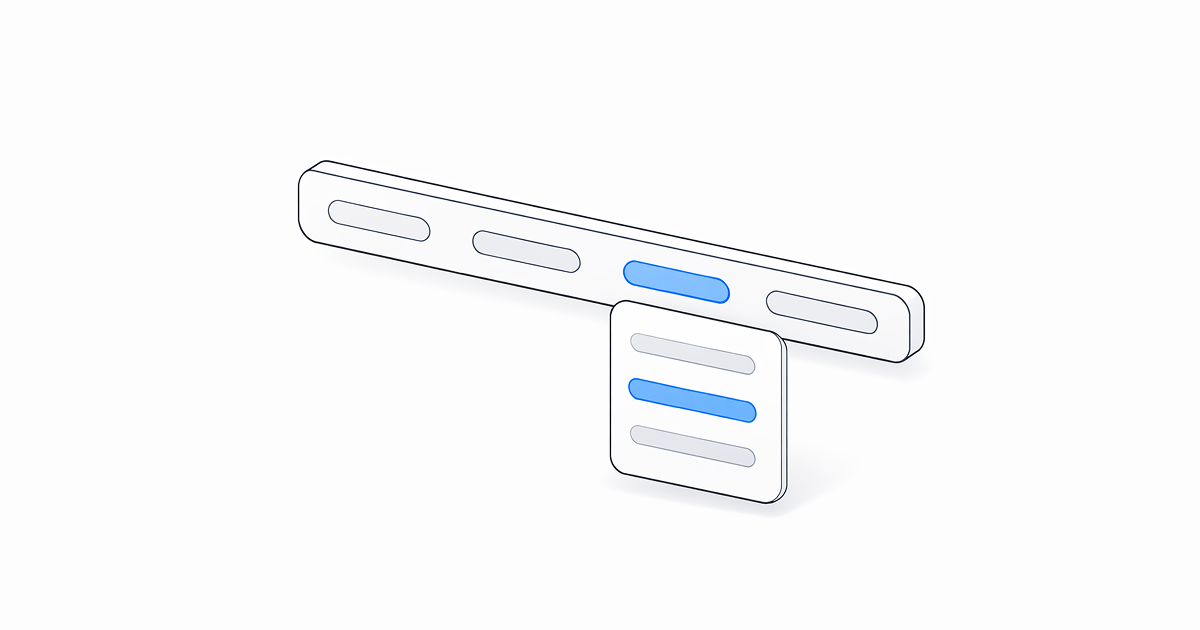
Retype v4.3 packs in notable new features and a solid round of enhancements. Header navigation now supports dropdown sub-menu support, backlinks gain fine-grained include and exclude controls, and date formatting is now fully configurable.
See the full Changelog and Feature Log for a detailed list of updates in the v4.3 release.
New header dropdown menus
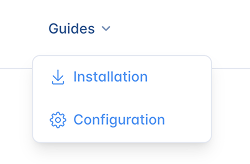
Header links now support nested items to create dropdown menus.
Add a nested items list to any link within links and Retype renders a dropdown menu when the link is hovered.
Menus are supported to one level deep. Each item supports the same properties as a top-level link, including text, link, icon, title, and description.
The dropdown menu width and horizontal offsets are customizable using the CSS theme variables:
On the retype.com website, we adjust the horizontal position of the menu using the following configuration:
New backlinks include and exclude
The backlinks component now supports backlinks.include and backlinks.exclude settings to configure pages that should be explicitly included or excluded as backlinks in the See also sections across your project.
The Backlinks component, including include and exclude settings, requires a Retype
PRO
key.
The following section demonstrates how to exclude blog posts from appearing in the See also section of pages:
backlinks:
  exclude:
    - /blog
This setting allows configuration using the same path-pattern rules as search.exclude. Excluded pages still render and are navigable, but they simply won't be added as backlinks on other pages.
Thank you to @7MinSec in issue #809 for the feature request!
New custom date format
A new dateFormat setting in the locale project setting configures how dates are rendered across the site, including the date displayed as the published date and the Last updated date.
locale:
  dateFormat: MM-dd-yyyy
A custom default date format can also be configured in labels using the Default_DateFormat key. The following sample demonstrates:
labels:
  default:
    Default_DateFormat: MM-dd-yyyy
If locale.dateFormat is configured, it takes precedence over the Default_DateFormat label.
The date format settings can be configured with the following specifiers:
Common full date string configurations can be composed by combining individual specifiers:
The date format also respects the locale setting. For example, using the locale: fr configuration in your project will output French month and day names.
New keyboard navigation
A new gh keyboard shortcut is short for Go Home and jumps you back to the home page of the website from any page within the website.
On your keyboard, just hit g then h to go back to the home page.
The gh shortcut extends the existing [ and ] keyboard shortcuts for navigation to the Next or Previous pages.
Logo dimensions
Retype now auto-detects the dimensions of the branding.logo and branding.logoDark images and automatically adds the width and height attributes to the image.
When you need to set custom values for the logo dimensions, use the new branding.logoWidth and branding.logoHeight settings:
branding:
  logo: ./logo.svg
  logoWidth: 150
  logoHeight: 31
The alt attribute of the logo is also now populated from meta.siteName setting.
Other Enhancements
Retype v4.3 also delivers a collection of polished upgrades and practical improvements.
Everything is listed in the Changelog, but here are a few of the more notable upgrades:
- Footnotes
- Footnotes1 have had a complete makeover in Retype
v4.3and now have a much cleaner user-experience. Thank you for the community reports in issue #676! - Wikilink resolution
-
Components now accept wikilinks as a valid
linkvalue. For example, configuring a Card component using[!card vert]([[Mermaid]])with the[[Mermaid]]wikilink as the path to the target page. - Hyperlink style
- Links now render with an explicit underline by default. Previously, link styling relied on color and weight alone, which reduced accessibility.
- Heading permalinks
- The headings permalinks with a icon that appear when hovering have been improved and moved to the right side of the heading text.
- Steps Permalink
- Step titles within the Steps component now show a permalink anchor on hover, matching the behavior of headings. This allows for deep linking to specific steps within a set of instructions.
- Dedicated Twitter/X meta tags are now emitted alongside existing Open Graph tags. Sharing Retype-built pages to X will now render richer previews.
- SEO improvements
-
A number of important SEO improvements have been made in
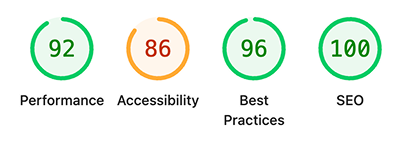
v4.3, including automatic image dimension detection, setting alt text, and improved handling ofariarelated attributes.The following Lighthouse report still shows some areas for improvement, but we're working on it!
- Backlinks for all pages
- Backlinks are now enabled by default for all page layouts, including
blogpages. Backlinks can be disabled for individual pages or folders by configuring thebacklinks.enabledproject setting. - Folder-Level backlinks inheritance
-
The
backlinkssetting is now configurable at the folder-level, to setbacklinks.enabledfor all child pages in that folder.# blog/index.yml backlinks: enabled: false - Symlink hot-reloading
- Symlinked content files now trigger live-reload rebuilds when their target files change during
retype start.
Write On!
Retype v4.3 delivers header dropdowns for richer site navigation, granular backlinks controls for cleaner See also sections, and a set of focused enhancements across footnotes, heading anchors, keyboard shortcuts, and SEO.
Install or upgrade Retype to try the latest release. Share your feedback on X or open a GitHub Issue. Your input continues to shape the future of Retype.