

What's New in Retype v4.0

Retype v4.0 is here! This major version release brings powerful new components, expanded templating capabilities, and a complete upgrade of all internal libraries and dependencies. Your existing projects will work exactly as before, just faster and with a pile of new powerful features for all Retype users.
See the full Changelog and Feature Log for a detailed list of updates in the v4.0 release.
New Card Component
The new Card component creates styled preview cards that link to other pages in your project. Cards automatically pull in the target page's title, category, description, date, and image. No manual configuration needed.
[!card](/blog/2026-03-10-whats-new-in-retype-v420.md)

Card Layout
The Card component supports both horizontal (default) and vertical (or vert) card layouts:
[!card](path/to/page.md)
[!card vert](path/to/page.md)
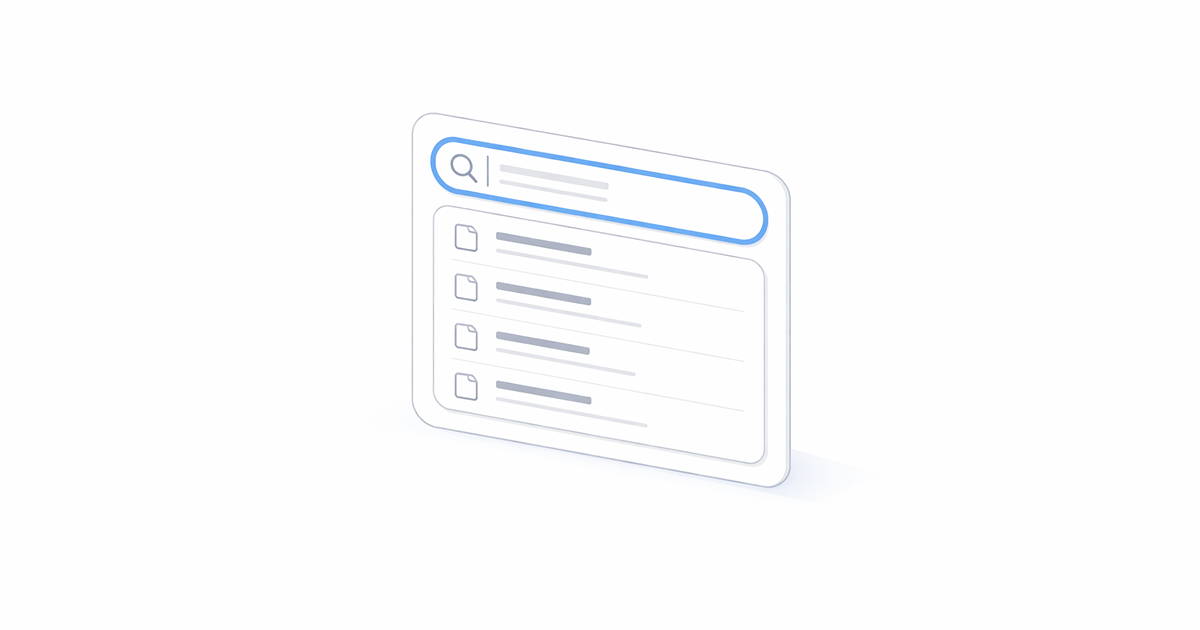
Place multiple vertical cards together and they automatically form a responsive grid. Two cards display side by side. Three cards create a balanced row and the layout adapts to screen size.

See the Card documentation for more examples.
New Steps Component
Create numbered step-by-step instructions with the new Steps component. Wrap your content in >>> blocks with a title for each step:
>>> Create the project
Initialize a new project in your workspace.

>>> Install dependencies
Run the install command to fetch all required packages.

>>> Start the server
Launch the development server and verify it's running.
>>>
Initialize a new project in your workspace.
Run the install command to fetch all required packages.
Launch the development server and verify it's running.
Rich Content Support
Each step can contain any Markdown content, including code blocks, tabs, callouts, and other components.
Any content can be added inside a Step, including other components such as Code Blocks, Tabs, and Callouts.
>>> Install the package

  +++ npm
  ```
  npm install retypeapp --global
  ```
  +++ yarn
  ```
  yarn global add retypeapp
  ```
  +++

>>> Start Retype

  ```bash
  retype start
  ```

>>>
npm install retypeapp --globalyarn global add retypeappretype startCustom Step Numbering
Start your steps at any number you want. Prefix your step title with a number and that number will be used to set a custom starting point with additional steps auto-incrementing from that number:
>>> 5. Configure the server
Server configuration instructions here.

>>> Update DNS settings
DNS update steps here.

>>> Verify connectivity
Verification steps here.
>>>
Server configuration instructions here.
DNS update steps here.
Verification steps here.
The 5. prefix is stripped from the rendered title, and the following steps automatically increment from your custom start number (5, 6, 7, etc.). This is useful when you're documenting a subset of a larger process or continuing from a previous set of instructions.
See the Steps documentation for more configuration options.
New Question Variant
A new question variant is available for Callout, Button and Badge components. Use it for FAQ sections, help buttons, or troubleshooting guidance:
!!!question
How do I configure my documentation site?
!!!

[!badge Support?|question]

[!button Need Help?|question]
How do I configure my documentation site?
Support?
The question variant uses a question mark icon and distinct styling that signals "help" or "inquiry" to users.
New Template Variables
Retype v4.0 introduces three new template variable categories that unlock dynamic content generation.
Page and Project Variables
Access all page metadata and project configuration directly in your templates with page.* and project.* variables:
Welcome to **{{ project.branding.title }}**!

This page was written by {{ page.author }}.
Use page.* to reference any frontmatter property on the page. Use project.* to pull values from your retype.yml. No more hardcoding values that might change.
See the Page and Project properties guide for details.
Content Variables
Query your entire site's content programmatically with the new content template object. The following sample demonstrates how to get a list of the last three blog posts:
{{ for post in content.blog.posts | array.limit 3 ~}}
- [{{ post.title }}]({{ post.url }})
{{ end }}
The content object provides access to:
content.pages- All pages in your projectcontent.blog.posts- Blog posts sorted by datecontent.tags- Pages grouped by tagcontent.categories- Pages grouped by categorycontent.authors- Pages grouped by author
You can also get specific pages by using content["key"] syntax:
{{ content["getting-started"].description }}Blog Configuration
Expanded blog configuration options now give you more control over your blog creation:
blog:
  pageSize: 5       # Posts per page (default: 10)
  maxResults: 100   # Total posts limit
  title: News       # Custom heading
  base: news        # URL path (/news/ instead of /blog/)
Control pagination, limit total posts on summary pages, customize the heading, and change the URL base path to match your site's terminology.
Also checkout the new Blogging guide for more tips.
Link Tooltips
Add tooltip descriptions to your header and footer navigation links with the new title property on links and footer.links:
links:
  - text: Getting Started
    link: /guides/getting-started/
    title: Learn how to install and configure Retype
When users hover over the link, the browser displays the tooltip. This provides additional context without cluttering the visible navigation.
The title property is now supported on both links and footer.links.
GitHub Actions Upgrade
If you're using GitHub Actions with the setup-dotnet step, you may need to update your workflow. Retype v4.0 requires .NET 10, so update your dotnet-version from 9.x to 10.x and it's also a good time to update the action to use @v6 now as well:
- uses: actions/setup-dotnet@v6
  with:
    dotnet-version: 10.x
Library and Dependency Upgrades
Under the hood, Retype v4.0 includes a complete upgrade of all internal libraries, frameworks, and dependencies. This brings performance improvements, security updates, and positions Retype for future enhancements.
Write On!
Retype v4.0 delivers new components for richer documentation, expanded templating for dynamic content, and a modernized foundation. The Card and Steps components help engage users and make your documentation more interactive. Template variables open up possibilities for dynamic content that stays current without manual updates.
Try out the latest release by installing or upgrading Retype and experiment with the new features. Share your projects with us on X or open a GitHub Issue with feedback. Your input helps shape the future of Retype.